How to run BNet license with current (April 2026) version of DB Bot/Steam
We have pretty good technical expertise and I have very strong feeling that "safety" of Steam usage is only related to a separation between user processes (containerization) (one limited OS user account runs d2r, another runs DB Bot). It does not let D2R processes read whole memory and identify bot process.
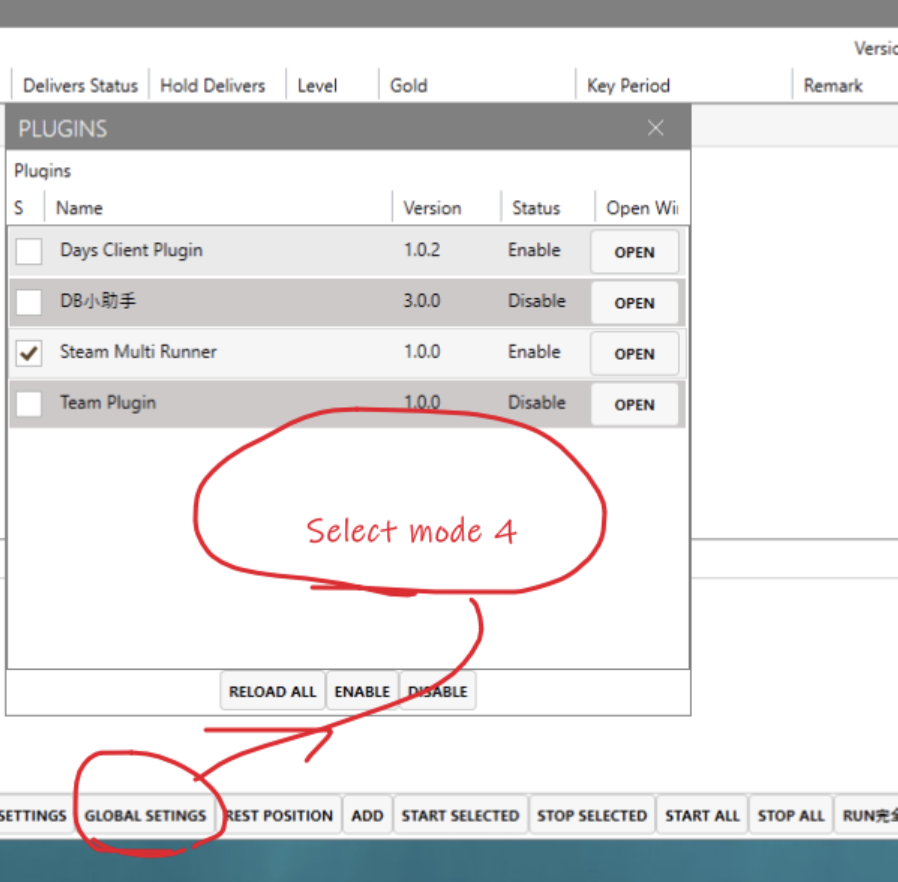
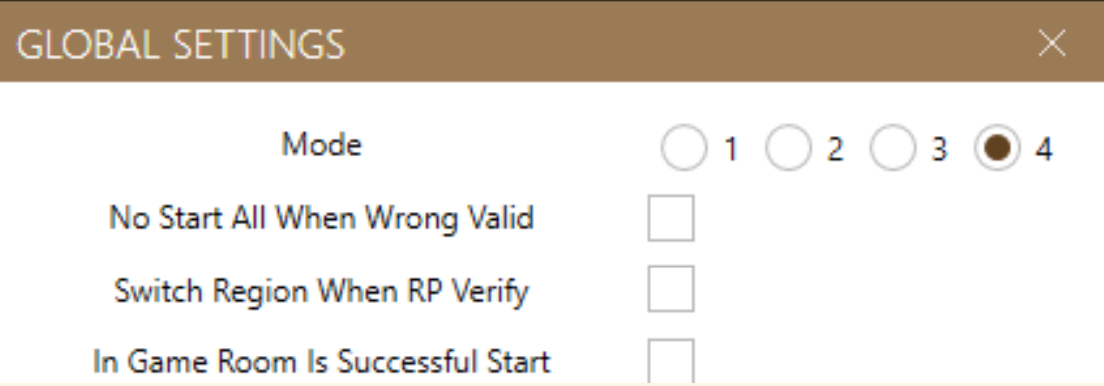
It’s done the same as Steam license (mode 4 in global settings options in DB Bot Client)
We have tested several botting methods. With generic techniques, the bots were quickly detected and banned. However, we have implemented a specialized 'Steam-specific' approach, and **so far**, it is **running undetected**.
In general it’s wrapping Bnet account into Steam Launcher
What is required:
- Bnet Account (u need to buy d2r game)
- Bnet version of game installed
- Clean and Fresh Steam Account, does not need to own D2R (no license on Steam )
- DB Bot
Make sure Mode 4 is selected in Global Settings:
Preparation steps
-
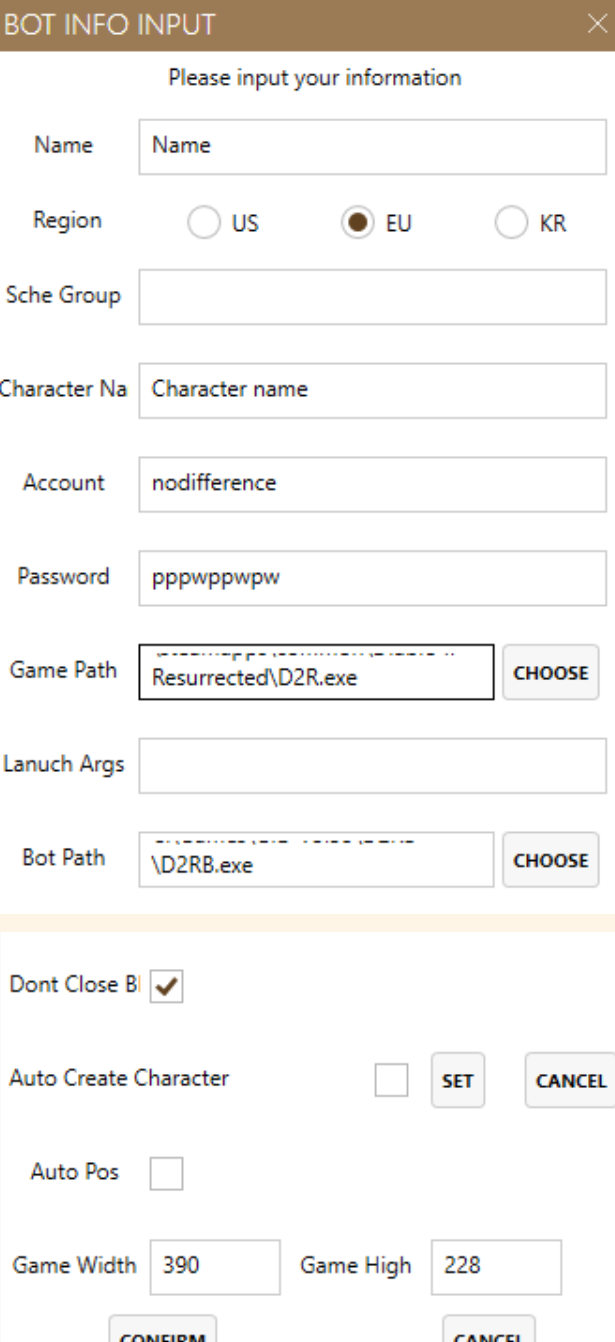
Add new profile in DB Bot client(run day.exe with admin) the same way as you add Steam account. Authenticate Steam with blank Steam account.
-
Once Steam is opened, close day client.
-
Time to setup Steam to run BNet version of D2r
-
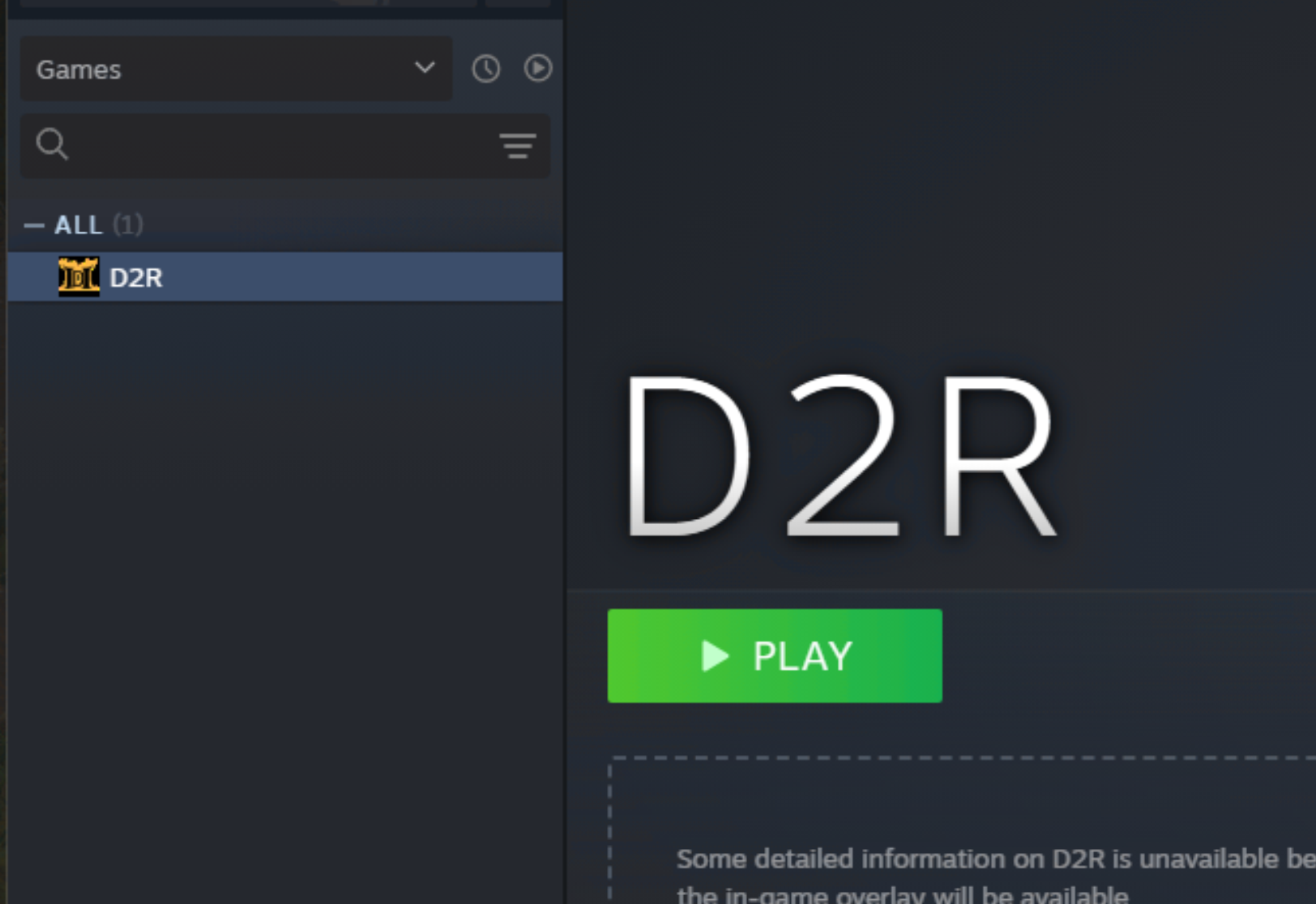
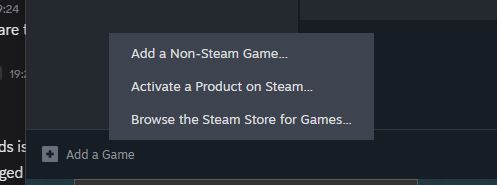
Add non-steam game to library in Steam, browse for d2r.exe (not bn launcher!).
-
Open up properties of added game and configure all startup parameters. -mod
-w -ns -username BnetEmail@ACCONT.COM -password SECRETPASSWORD -address eu.actual.battle.net (or us, or kr)
-w -ns -username bnet@account.com -password SECRETPASSWORD -address us.actual.battle.net
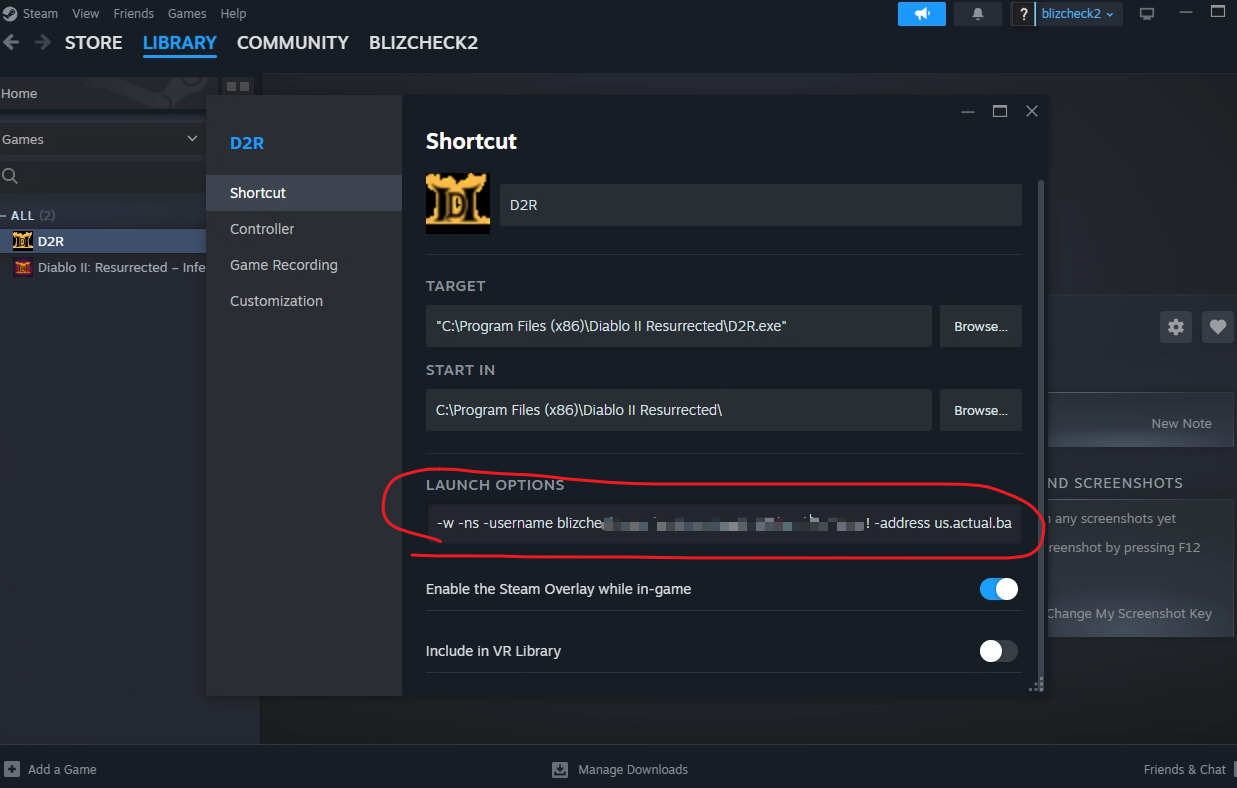
- Press green play button and verify it all works. All of those startup parameters are legal and documented
If you are working up to this point, the bot should run!
Close steam, open again day client and press start. It will open steam client and will try (and fail) to search for gameID, because added D2R game does not have gameID.
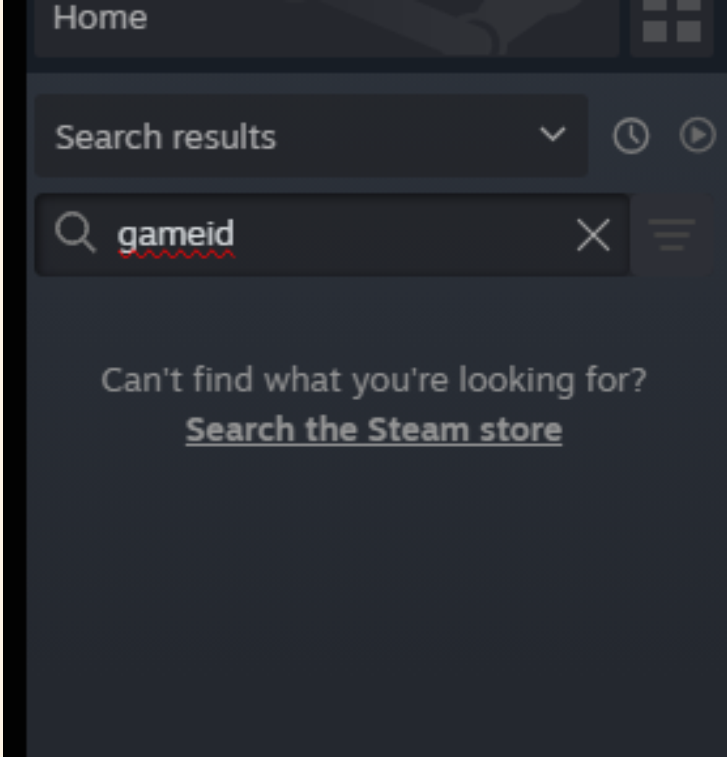
It needs a little bit of help every time Steam client is restarted:
- Cancel search by pressing X on search window to clear search
- Select manually added D2r game so you can see big green Play button
- Now day should be able to see this button and press Play and proceed with starting game and running D2RB itself.